
SSH Key Management on Linux: The Privilege You're Not Governing
 Peter Cummings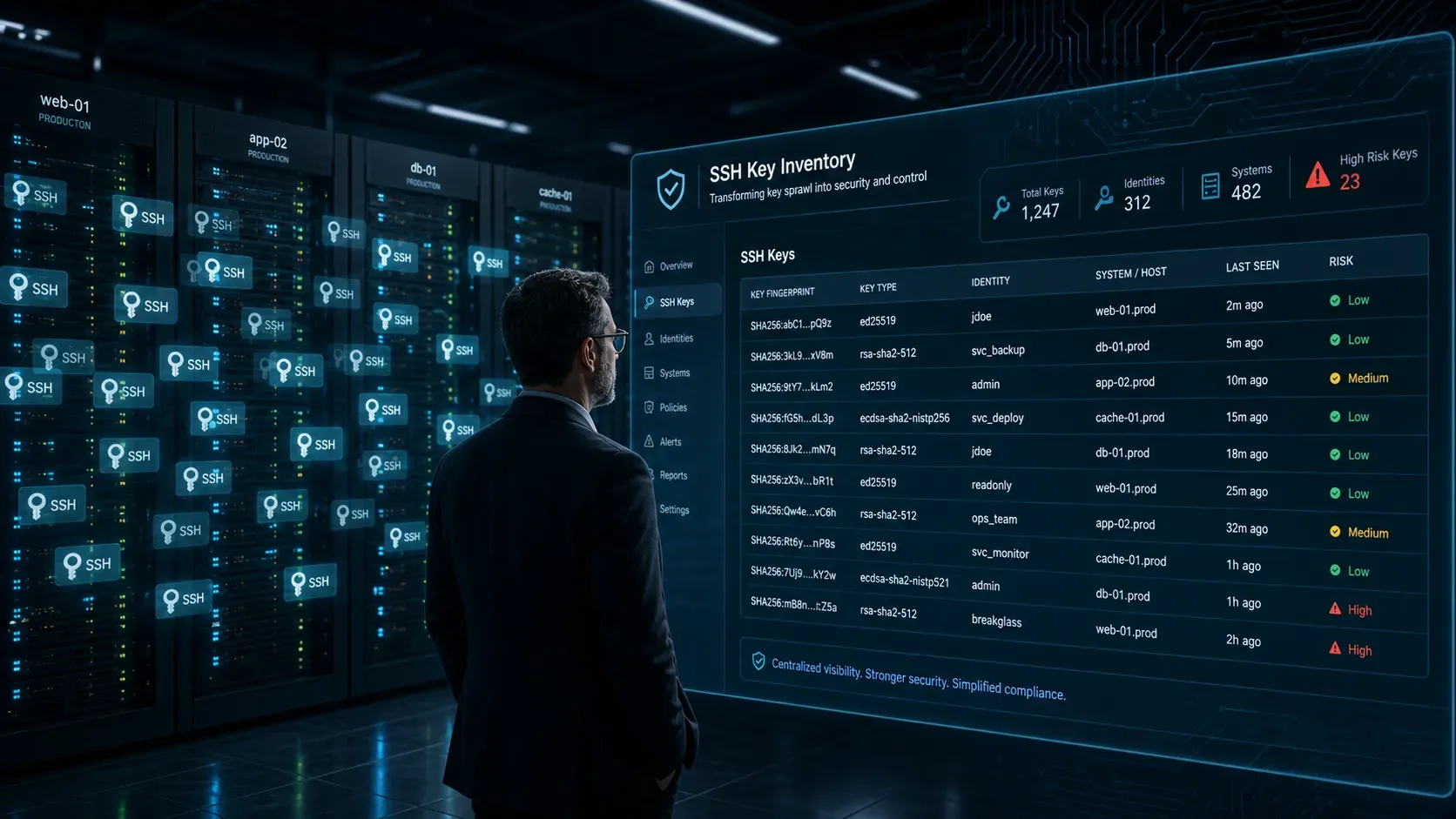
What Is SSH Key Sprawl?
SSH key sprawl is the uncontrolled accumulation of SSH keys across a Linux estate: authorised keys added ad hoc, never rotated, and rarely inventoried. Over time, orphaned keys — belonging to departed staff, decommissioned services, or forgotten automation — pile up as unmanaged credentials that quietly grant standing access no one is tracking.
SSH keys are now one of the largest ungoverned identity surfaces in most Linux estates — and by far the least visible. In 2026, treating them as a “technical detail” rather than a first-class identity problem is no longer credible for any regulated organisation.
How many SSH keys are in your Linux estate?
Most teams can show you firewall rules, password policies, MFA coverage, and SIEM dashboards on demand. Very few can answer three basic questions about SSH keys:
- How many SSH keys exist across our Linux estate?
- Which people and services own them?
- Which systems can each key reach?
That gap is not an accident; it is the result of how SSH was designed to be used.
An engineer can generate a key pair in seconds and drop their public key onto any server they can reach. No ticket. No approval. No central record. Repeat this across years of hiring, role changes, contractors, ephemeral environments, and CI/CD pipelines, and you end up with tens of thousands of standing credentials that nobody is truly accountable for.
NIST’s SSH guidance warns that many organisations “don’t even know how many SSH keys they have configured to grant access”, and in a 2021 Keyfactor and Ponemon Institute survey of 1,162 IT security professionals, 57% said they had no accurate inventory of SSH keys.
SSH keys have become the forgotten identity layer of the Linux stack.
Why SSH keys are structurally different from passwords
SSH key risk is not just “another credential problem.” The protocol gives keys properties that make them uniquely hard to govern at scale.
- No inherent expiry
Passwords live under policies: rotation windows, lockouts, complexity rules. An SSH key has no built‑in expiration. A key generated three years ago works exactly the same today unless someone has explicitly removed it from everyauthorized_keysfile where it was added. - No native central directory
User passwords are tied to directory services like LDAP or Active Directory. SSH keys are scattered:~/.ssh/authorized_keyson each host, developer laptops, CI/CD secrets, container images, and automation scripts. There is no built‑in equivalent of “search the directory and show me all keys for this identity.” - Weak or missing audit trail
SSH logs can record which key fingerprint was used, but without a maintained mapping of fingerprints to owners and purposes, a successful SSH login is effectively anonymous from an identity governance point of view. NISTIR 7966 explicitly calls out the need to associate keys with owners and intended use as a prerequisite for effective auditing. - Bypass of lockout and many MFA controls
If an attacker obtains a valid private key, they authenticate directly tosshd. Account lockouts, throttling, and many MFA implementations built around password flows are never triggered. In practice, a stolen key behaves like a long‑lived, silent bypass token.
These structural properties are why SSH key sprawl tends to grow unchecked — and why once an attacker lands on a single Linux host, unmanaged keys become one of their easiest paths to move laterally.
How attackers abuse orphaned keys for lateral movement
From an attacker’s perspective, an orphaned SSH key is almost the perfect pivot mechanism.
Once they have initial access to any Linux machine, the playbook is simple:
- Enumerate
~/.ssh/for private keys, and parseknown_hoststo see where those keys are likely to work. - Crawl every
authorized_keysfile on the host to see which public keys are trusted. - Try those keys against other servers that appear in logs, host inventories, or DNS.
Key-based pivots have several advantages:
- No brute-force required, so no lockout alarms.
- Activity blends with legitimate admin behaviour if you have no identity-to-key mapping.
- Password resets and directory account disables do not automatically break access; the key continues to function until someone touches
authorized_keyseverywhere it lives.
In a 2019 peer-reviewed paper, Tatu Ylönen, who created SSH, reported that scans of large enterprises often find about 10% of authorised keys grant root or other privileged access. When those keys belong to former employees or long-forgotten service accounts, they provide lateral movement into systems the original owner barely remembers — and incident response teams never knew were exposed.
You also have the inverse problem: attackers or rogue insiders simply add their own public keys to authorized_keys to create durable backdoors. Without continuous monitoring of those files, those backdoors can sit in plain sight for years.
It is the same escalation chain as how a harvested key becomes root access — an orphaned key on one host becomes privilege on the next.
SSH key management best practices
Organisations that bring SSH keys under control tend to converge on the same four pillars: visibility, automation, policy, and auditability.
1. Discovery and inventory
An SSH key inventory starts on the hosts, not in a directory. Find every authorized_keys file, fingerprint each key, and map each fingerprint to an owner and a purpose. A key nobody can account for is a finding: it grants access, and no one is answerable for it.
# every authorized_keys file on the host
sudo find / -xdev -type f \( -name 'authorized_keys' -o -name 'authorized_keys2' \) 2>/dev/null

# the fingerprint of every key in one of those files
ssh-keygen -lf /home/alice/.ssh/authorized_keys

# where sshd looks, if AuthorizedKeysFile has been moved
sudo sshd -T | grep -i authorizedkeysfile
You cannot mitigate what you cannot see. A credible SSH key inventory needs to cover:
- Every
authorized_keysfile on every Linux host (on‑prem and cloud). - Private keys on admin workstations, jump hosts, and CI/CD agents.
- Service account keys in pipelines, scripts, and infrastructure code — each one a non-human identity.
- Algorithms, key lengths, and basic metadata (creation and last‑used where possible).
- A maintained mapping from key fingerprint → owner → purpose.
NISTIR 7966 treats this mapping as a non‑negotiable requirement. Without it, incident response and audit are fundamentally blind.
2. Lifecycle policy and rotation
Once you know what exists, you need a lifecycle:
- Standardised creation (approved algorithms, lengths, and protection for private keys).
- Defined rotation intervals for human and machine keys (we recommend 90 days for user keys, longer but still bounded for service keys).
- Deprovisioning rules tied to HR and identity events (role changes, terminations, project end dates).
At any meaningful scale, this is only sustainable via automation. Configuration management or dedicated key management tooling must handle propagation of new keys, removal of old entries, and logging of what changed where.
3. Certificate-based SSH instead of static keys
The strategic answer to static SSH keys is to stop treating keys themselves as long-lived identities.
Modern engineering organisations increasingly use SSH certificates: a central Certificate Authority (CA) issues short‑lived SSH certificates that encode the user identity, roles, and expiry. Servers trust the CA, not each individual key.
In practice this gives you:
- Built‑in expiry (hours or days by design, not “never unless someone remembers”).
- Central revocation: stop issuing certificates to a deprovisioned identity and their access disappears without editing any
authorized_keys. - Strong binding of identity to activity: the certificate carries the user principal and validity period, which can be logged and correlated centrally.
For Linux and security teams wrestling with key sprawl today, even a basic internal SSH CA built on open-source tooling is a meaningful step change. It trades a messy distribution problem for a cleaner trust and policy problem.
4. Hardening the SSH service itself
SSH daemon hardening is not a substitute for lifecycle governance, but it is a necessary baseline.
Benchmarks such as the CIS Linux standards recommend controls like:
- Disabling direct root login and enforcing
sudoinstead. - Restricting or disabling password-based auth in favour of key or certificate auth.
- Tightening ciphers and MACs.
- Limiting
MaxAuthTries. - Enforcing idle timeouts and disabling X11 forwarding.
- Restricting which users and groups are allowed to log in via SSH.
These settings can largely be automated with configuration management, but many estates still apply them inconsistently across distributions, environments, and business units. That inconsistency is exactly what attackers look for.
The more fundamental point: you can have fully hardened sshd_config on every box and still be wide open if you have thousands of unmanaged keys lying around.
Dedicated PAM platforms tackle a slice of this differently — see how CyberArk, BeyondTrust and Teleport handle SSH key lifecycle.
Automating SSH key rotation and revocation
Manual key management does not survive contact with a modern engineering organisation.
A mid-sized team changing keys on a 90‑day cycle across even a modest server estate generates thousands of individual operations per quarter. If you depend on humans to remember and document those changes, you will end up with drift, exceptions, and blind spots.
A pragmatic automation stack usually includes:
- Continuous discovery
Regular scans of Linux hosts to enumerateauthorized_keysand known private keys, plus checks of CI/CD secrets, IaC repositories, and endpoint fleets. Findings are reconciled against your HR and identity directories so each key is attached to a current, known principal or flagged as orphaned. - Automated rotation and revocation
Playbooks or workflows that generate new keys, push them out safely, validate access, then remove old entries — all with an audit trail. Integration with HR and IAM ensures that when someone leaves, their SSH access disappears across the estate, not just in the directory. - Rogue key detection
Monitoring that treats unexpected changes toauthorized_keysas a security signal, not just “configuration drift.” Any key added outside approved workflows should raise a flag and trigger investigation.
For organisations that move to SSH certificates, much of the complexity shifts from managing keys on every host to managing policy at the CA and identity layer. Short-lived credentials and central issuance make stale or orphaned access the exception rather than the default.
NIS2, DORA, and why SSH keys are now a board-level compliance issue
For EU-regulated entities, unmanaged SSH keys are no longer just “technical debt.” They have become an explicit compliance and governance problem.
NIS2 requires essential and important entities to take appropriate and proportionate measures that include access control policies (Article 21(2)(i)), and to notify significant incidents within 24 hours, with a final report on the root cause within a month (Article 23). DORA imposes similar obligations on financial entities: Article 9(4)(c) requires policies that limit access to what legitimate functions require, and Article 9(4)(d) requires strong authentication, within the ICT risk management framework of Article 6, with resilience testing under Article 24.
An environment with thousands of untracked SSH keys fails those requirements in several ways:
- Access control: you cannot credibly claim to “know who has access to what” when you cannot list which identities correspond to which SSH keys, or which systems those keys can reach.
- Privileged access management: keys that grant root or
sudoaccess sit firmly in PAM territory. If your PAM governance covers passwords and admin sessions but ignores SSH keys, auditors increasingly see that as a material gap. That gap is not a product failure — it is what your PAM platform misses by design on Linux. - Incident investigation and reporting: if a single private key is compromised, you must be able to determine — quickly — which systems were reachable with that key. Without an inventory and trust map, you cannot provide that answer within the reporting windows NIS2 and DORA expect.
Regulators and auditors are converging on a simple view: SSH keys are privileged credentials. They expect them to be governed with the same discipline you apply to admin passwords, tokens, and certificates.
For what an assessor will actually want to see, this maps to the evidence auditors accept for SSH key governance.
A pragmatic path forward
Fixing SSH key sprawl is not a one-off “hardening sprint.” It is a programme. The organisations that make real progress tend to follow a sequence along these lines:
- Start with visibility
Run a full discovery across your Linux estate and CI/CD systems. Quantify the problem: total keys, mapped vs orphaned, privileged vs non‑privileged, compliant vs weak algorithms. Put real numbers in front of your risk and compliance stakeholders. - Deploy configuration baselines
Use automation to push a consistent, benchmark-alignedsshd_configacross environments. This closes obvious holes while you build out deeper identity controls. - Integrate offboarding
Connect SSH key revocation to HR and IAM events. A user leaving or changing roles should automatically trigger revocation of all associated keys and trust relationships, not just their directory account. - Introduce an SSH CA
Pilot SSH certificates for a subset of users or environments. Demonstrate that short‑lived, centrally issued credentials simplify operations, improve auditability, and materially reduce stale access. - Monitor continuously
Treatauthorized_keysand SSH certificate policies as monitored configuration, not static files. Build alerts for unexpected additions and unusual SSH access patterns.
Most importantly: frame SSH keys as identity and governance objects, not as “just technical settings owned by the Linux team.” Until they sit inside your wider identity, PAM, and compliance programmes, your Linux estate will continue to carry a large, largely invisible layer of standing privilege that attackers understand very well.
If you look at your own environment today: do you have a single, current answer to “which SSH keys can reach our production systems, and who do they belong to?”
If the honest answer today is “no”, you are not alone — most regulated Linux estates are in the same position. Instead of guessing, you can quantify the problem within 60 days: LinuxGuard’s Founding Pilot discovers every SSH key across your estate, maps it to a real owner and system, and gives you compliance‑ready evidence for NIS2 and DORA.
Book a 30‑minute scoping call and we'll show you how we can build a concrete plan to get from “we don’t know” to a defensible SSH key inventory and trust map.
Frequently Asked Questions
What is SSH key sprawl?
SSH key sprawl is the unmanaged growth of SSH keys across a Linux estate. Keys get added to authorized_keys files for people, scripts, and services, but are rarely removed or rotated. The result is thousands of standing credentials — many orphaned — that grant access no central system tracks or governs.
How do I find all SSH keys on a Linux estate?
Start by scanning every host for authorized_keys files, user and service home directories, and configuration-management repositories that distribute keys. Correlate each public key to an owner and a purpose, then flag keys with no active owner. Manual sweeps miss hosts, so continuous, agent-based discovery across the fleet is the only reliable approach.
How often should SSH keys be rotated?
There is no single mandated interval, but static user and service keys should be rotated on a defined schedule — commonly every 90 to 180 days — and immediately when someone leaves or a host is decommissioned. Better still, replace static keys with short-lived SSH certificates that expire automatically, removing rotation as a manual chore.
Do NIS2 and DORA treat SSH keys as privileged credentials?
Neither framework names SSH keys explicitly, but both demand control over access to critical systems. NIS2 Article 21 requires access-control and cryptographic measures, and DORA mandates ICT risk management over privileged access. Because SSH keys often grant root-equivalent access, auditors reasonably expect them inventoried, governed, and rotated like any other privileged credential.